Overview
Connect your Box account to Wokelo and seamlessly convert your existing documents into AI-powered research insights. Through a secure OAuth connection, select files directly from Box and feed them into our research agents to generate actionable analysis—no data migration required.Integration Capabilities
- Comprehensive file support — Word, PowerPoint, Excel, PDF, text, CSV.
- Preserves your workflow — Works with existing folder structures without reorganization
- Enterprise security — Fully encrypted and SOC 2 Type II compliant
Use-cases
- Due diligence research — Analyze CIMs, board decks, and KPI files for comprehensive company assessments
- Custom workflow integration — Incorporate Box documents into tailored research processes
- Intelligent document querying — Ask natural language questions like “What is the latest ARR by region?” across your file library
- Report generation — Create investor briefs, DDQs, and presentation decks directly from selected Box content
How it works
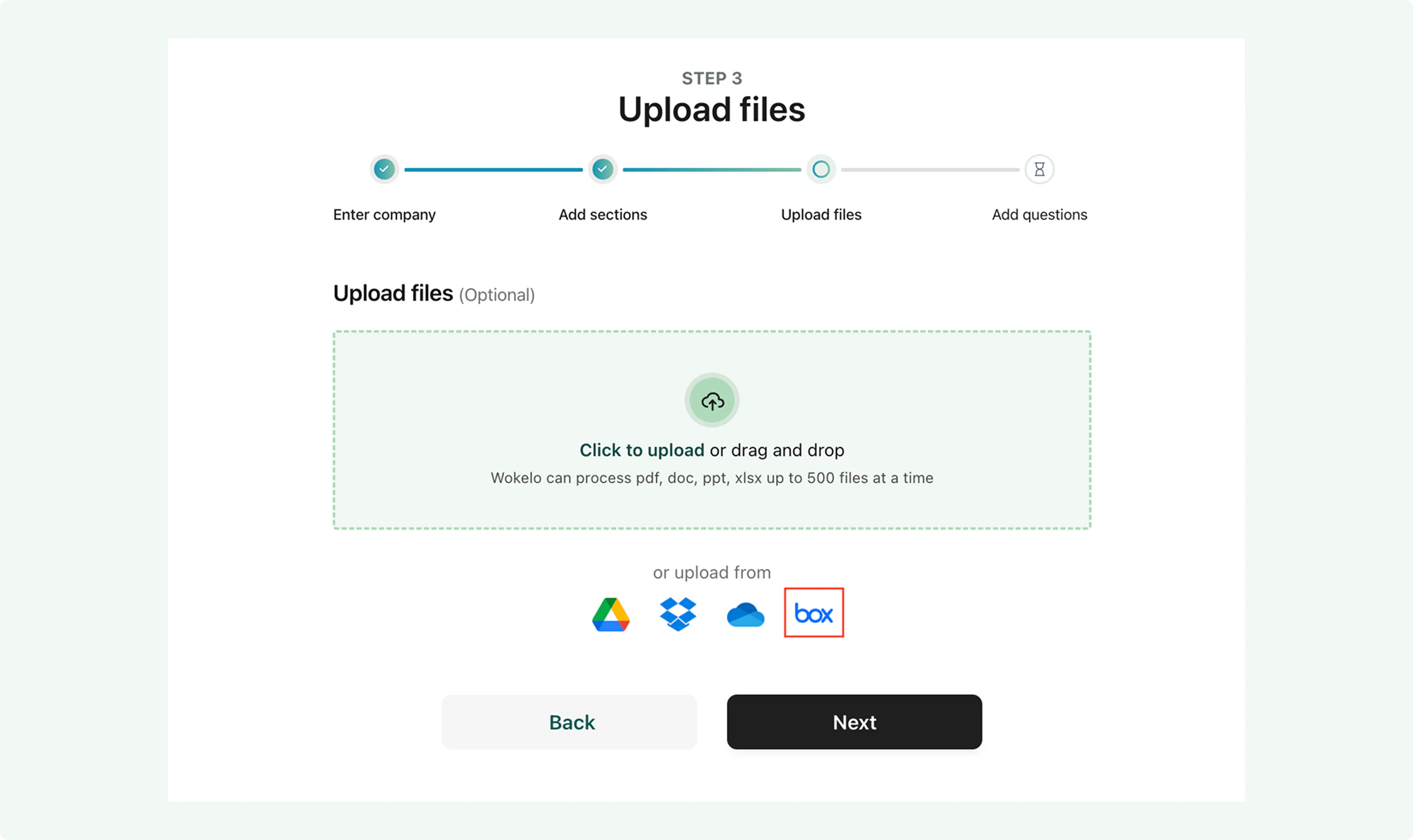
Selecting files from Box is a seamless step while running your workflows on Wokelo- On the file upload step, click on ‘Box’
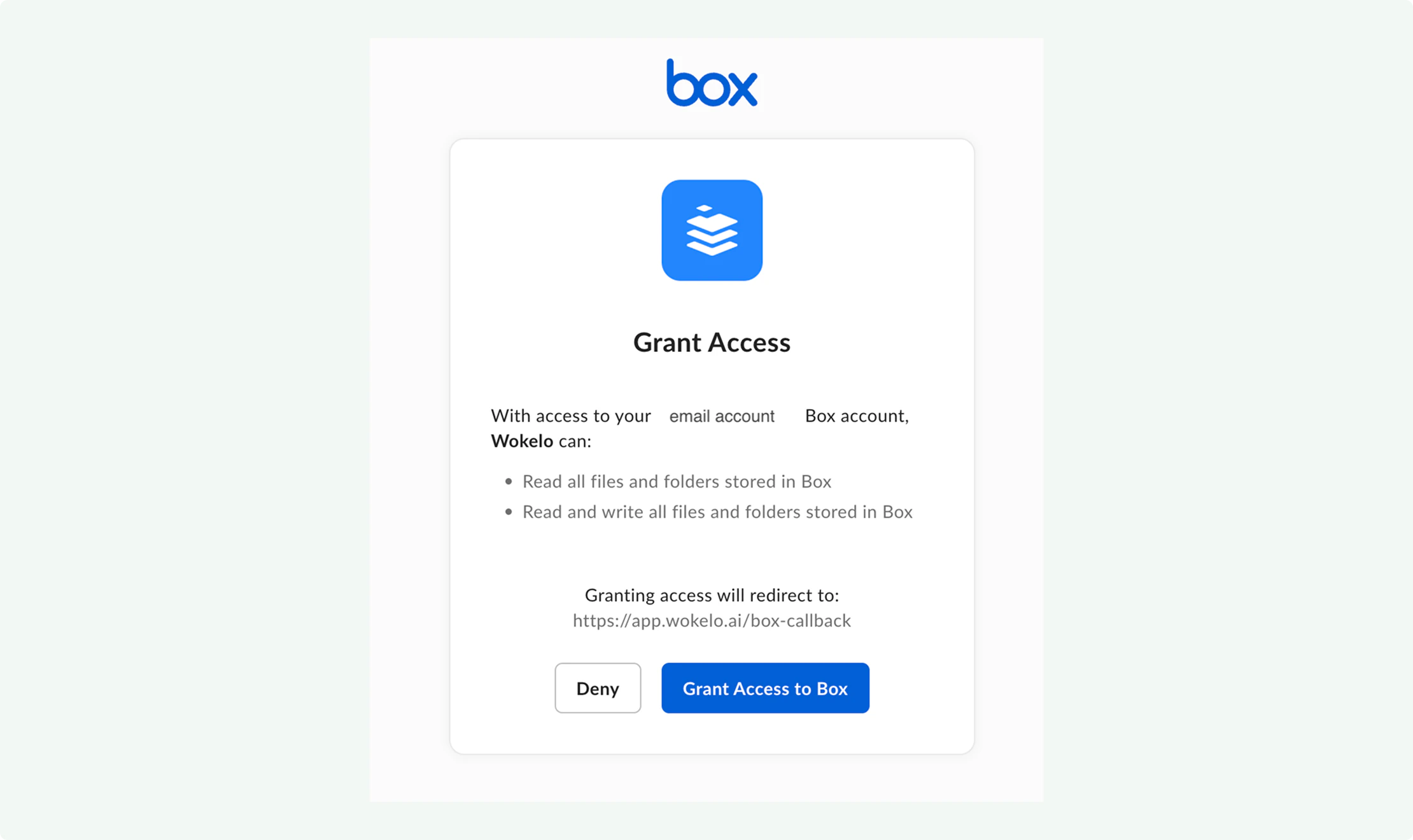
- If you’re uploading files for the first time, you might be redirected to a login screen to authenticate your account.
- This brings up the files you have available in Box. Select the relevant files you want to be included in your research and click on the Checkbox in the bottom right corner to upload the selected files.
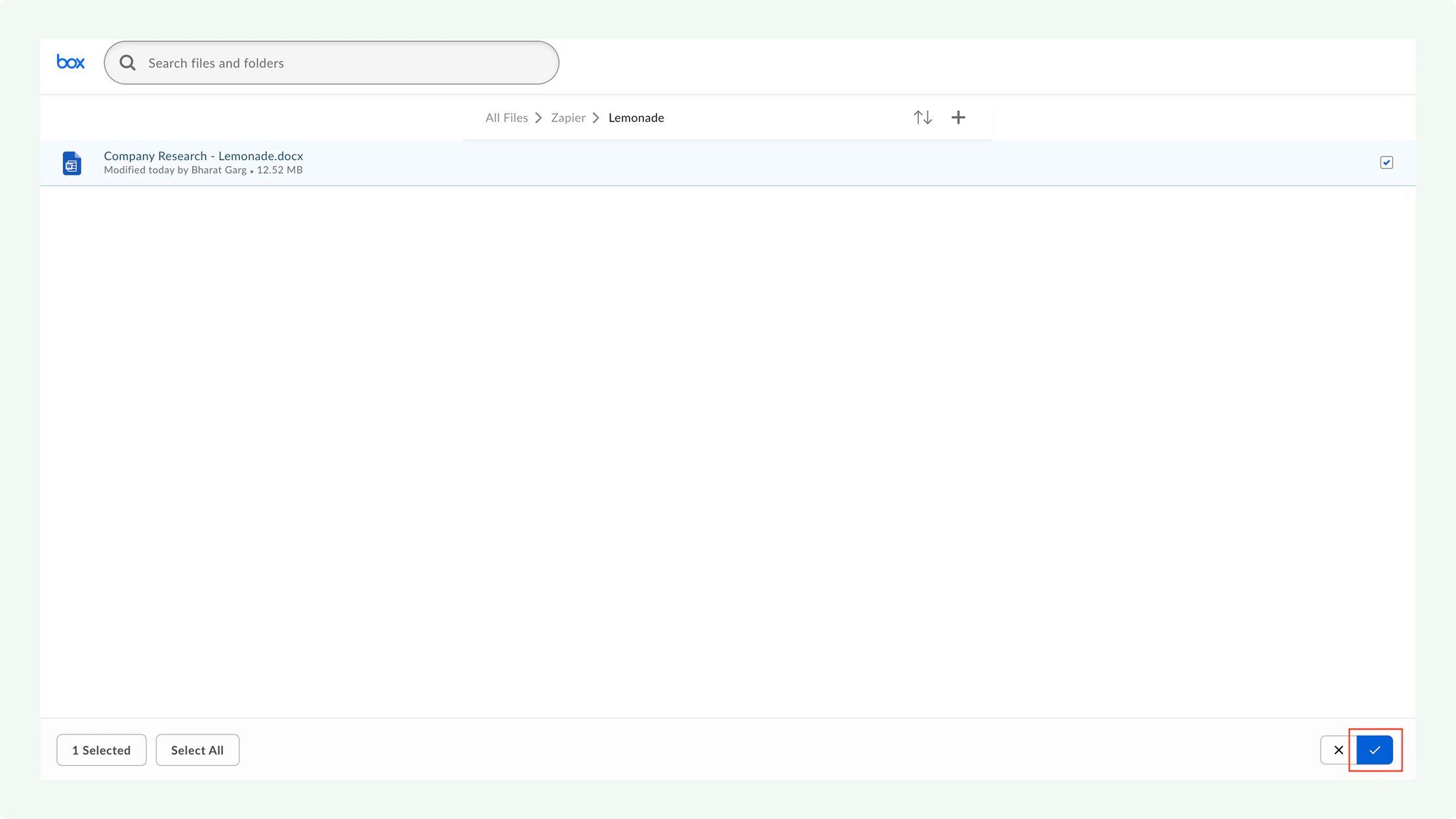
In a folder, you also have an option to select all files (upto a maximum of 1000). This enables you to upload all the files relevant for a research without selecting them individually.
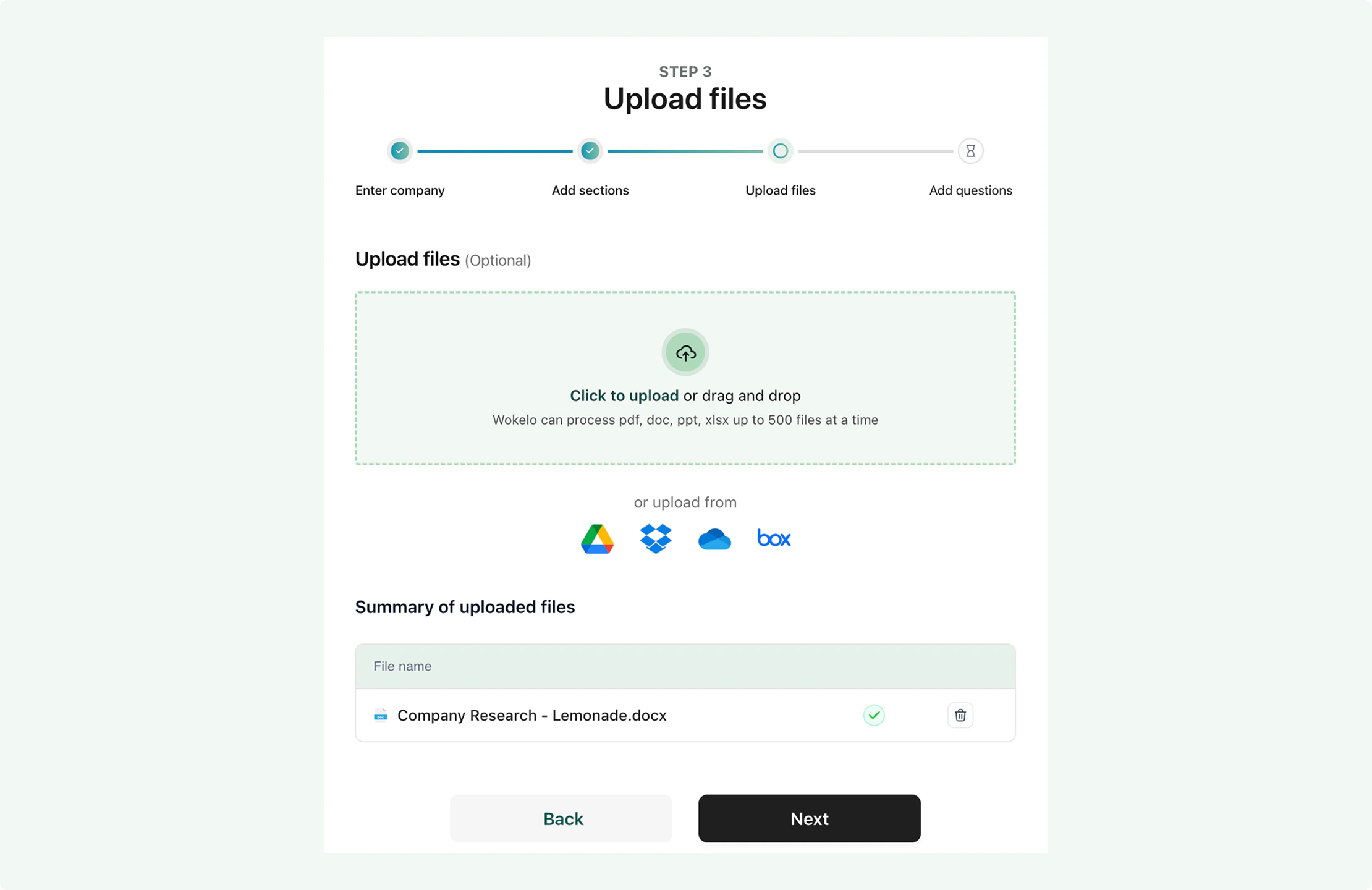
- Once uploaded, you would see a list of files that will be used in the workflow. Click Next to trigger the report with the relevant files